1
/
of
7
DIYMars
5X KSD9700 Temperature Switch 5A 250V, NC/NO Thermostat for Motor, Battery
5X KSD9700 Temperature Switch 5A 250V, NC/NO Thermostat for Motor, Battery
Regular price
$3.59 USD
Regular price
$0.00 USD
Sale price
$3.59 USD
Shipping calculated at checkout.
Quantity
Couldn't load pickup availability
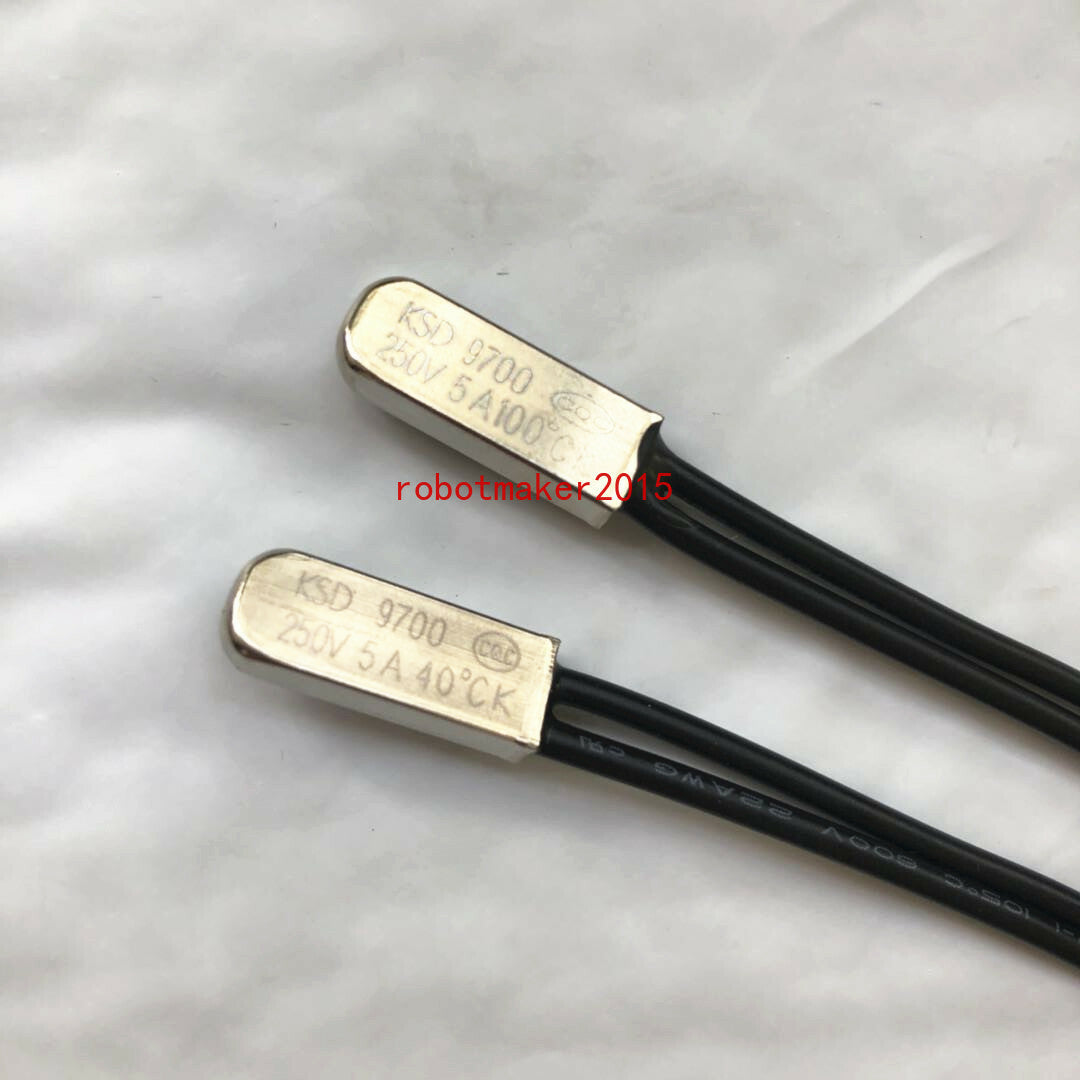
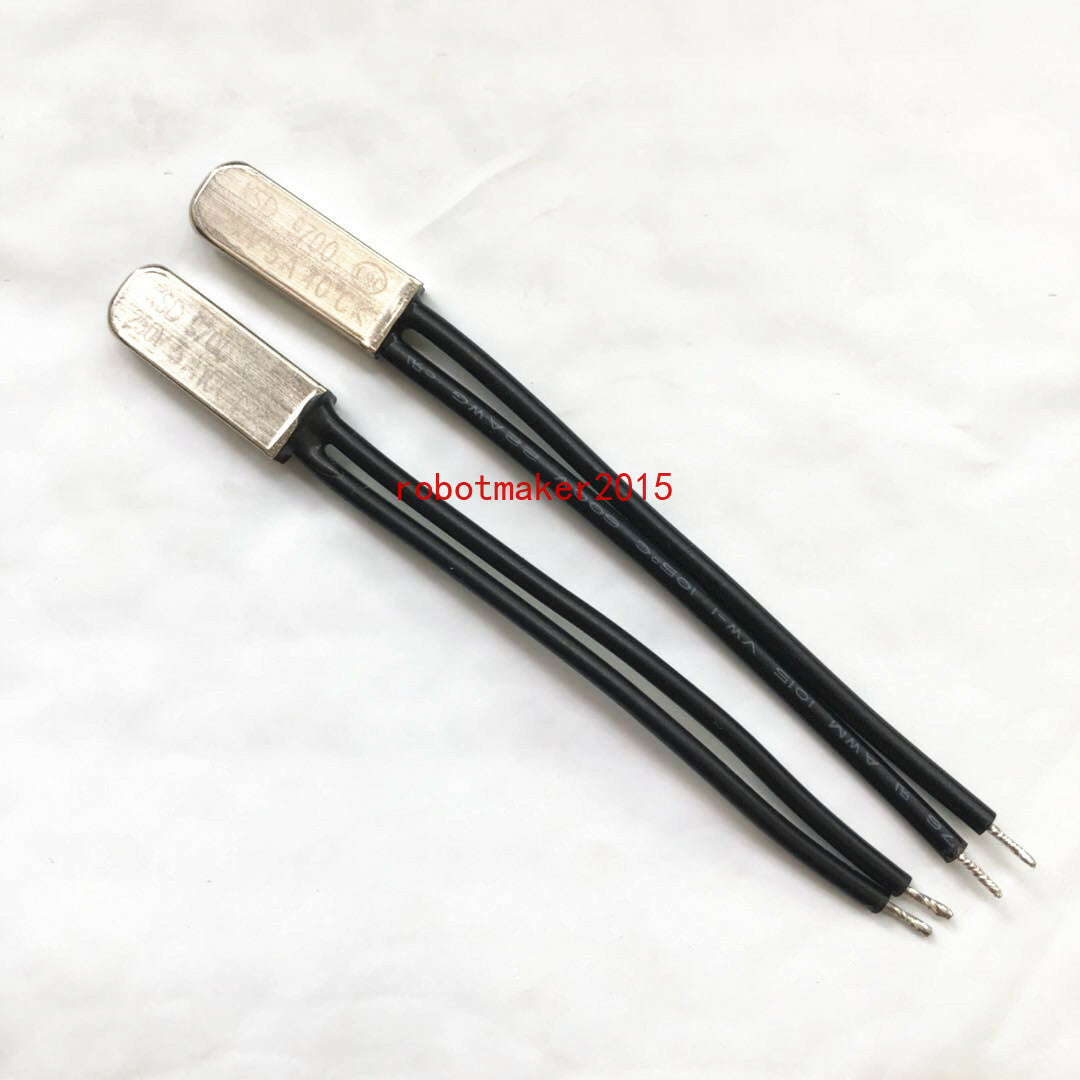
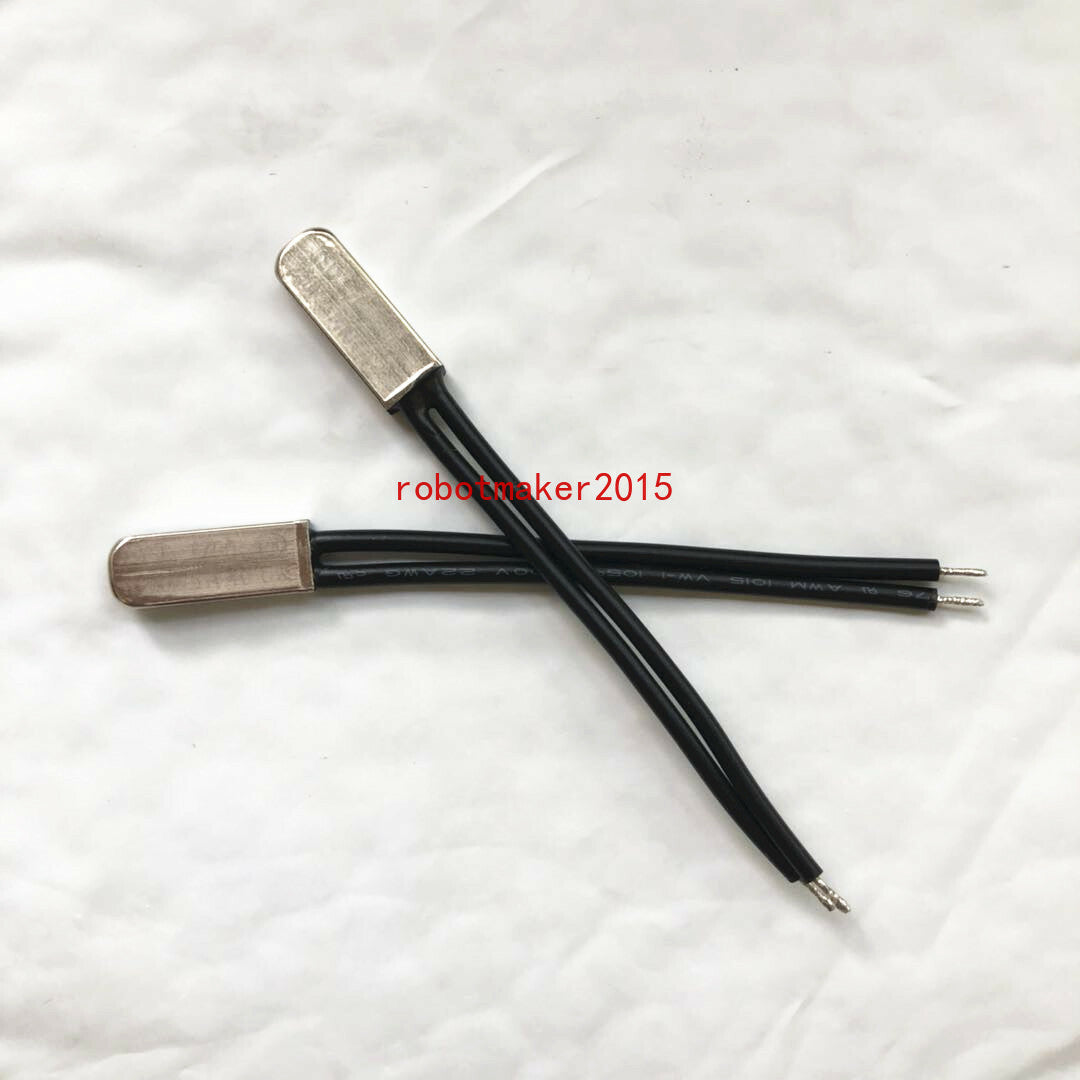
## 5Pcs KSD9700 Thermal Protector – NC/NO Bimetallic Temperature Switch
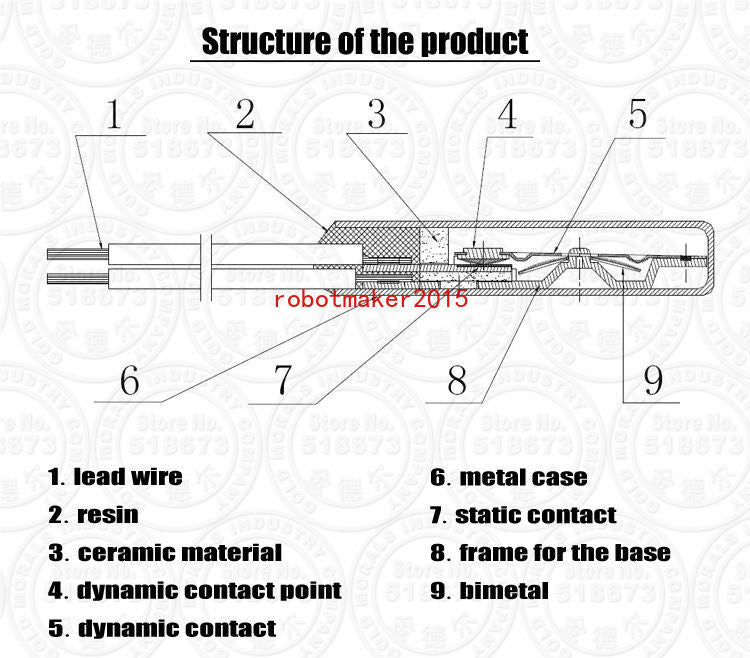
The KSD9700 is the small bimetallic snap thermostat you'll find inside power
tool battery packs, chargers, transformers, motors, ballasts and switch-mode
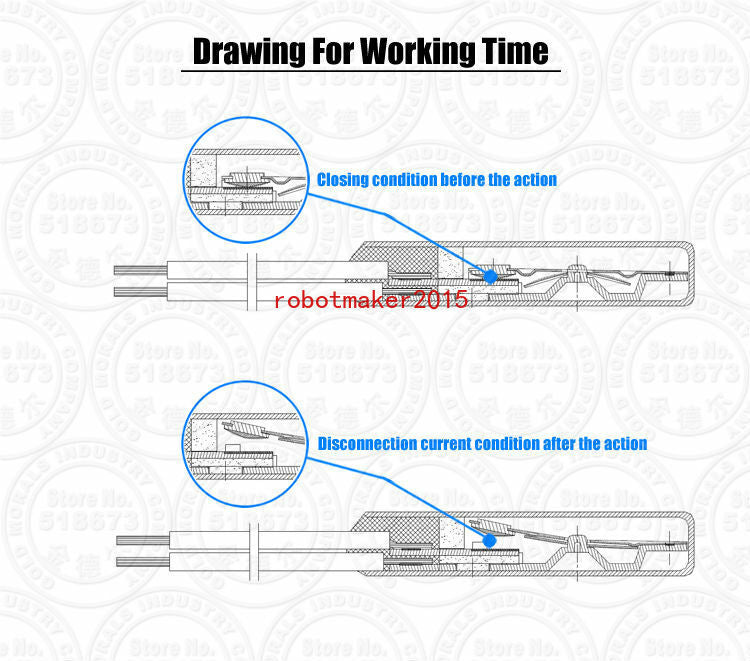
supplies. When thetemperature at the case reaches its rated trip point, the
disc snaps over and opens (or closes) the circuit – no electronics, no power
needed, and it resets itself once things cool down.
Five pieces per pack, so you can fix a tool pack and still have spares on the
shelf.
### Choose the Right Version
| Option | What it does |
|---|---|
| **NC – Normally Closed** | Conducts when cold, **opens** at the rated temperature. Used to cut power to a heating element or motor when it overheats. |
| **NO – Normally Open** | Open when cold, **closes** at the rated temperature. Used to switch on a fan or an alarm once a threshold is reached. |
**These are not interchangeable.** Swapping one for the other makes the circuit
behave backwards.
### Specifications
| Item | Specification |
|---|---|
| Model | KSD9700 |
| Type | Bimetallic snap-action thermal protector, auto-reset |
| Switch type | NC or NO ** |
| Action temperature | 40°C – 150°C ** |
| Temperature tolerance | ±3°C / ±5°C ** |
| Rated voltage | 250 V AC |
| Rated current – resistive | AC 250V / 5A, AC 125V / 8A |
| Rated current – DC | DC 12V / 12A, DC 24V / 10A |
| Contact resistance | ≤50 mΩ ** |
| Insulation resistance | >100 MΩ |
| Dielectric strength | >800 VAC |
| Cycle life | >100,000 cycles ** |
| Response | Snaps at the rated temperature; tested at a rate of rise ≤1°C/min |
| Case | Metal or plastic *(按变体)* |
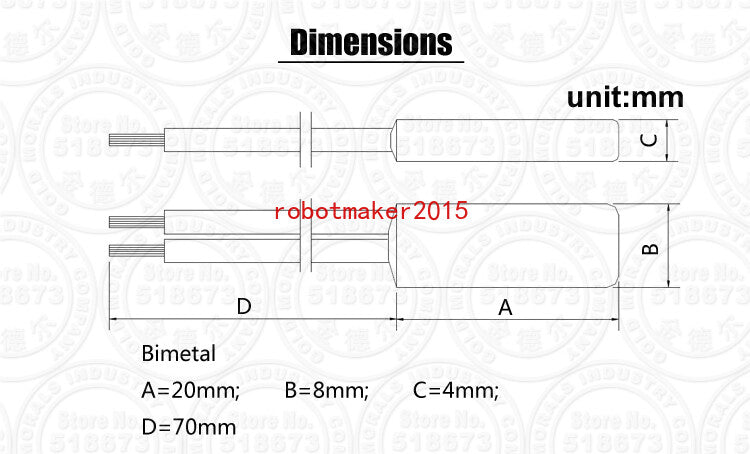
| Case size | 20 × 7.4 × 3.8 mm (metal case) / 20 × 8.0 × 4.0 mm (plastic case) |
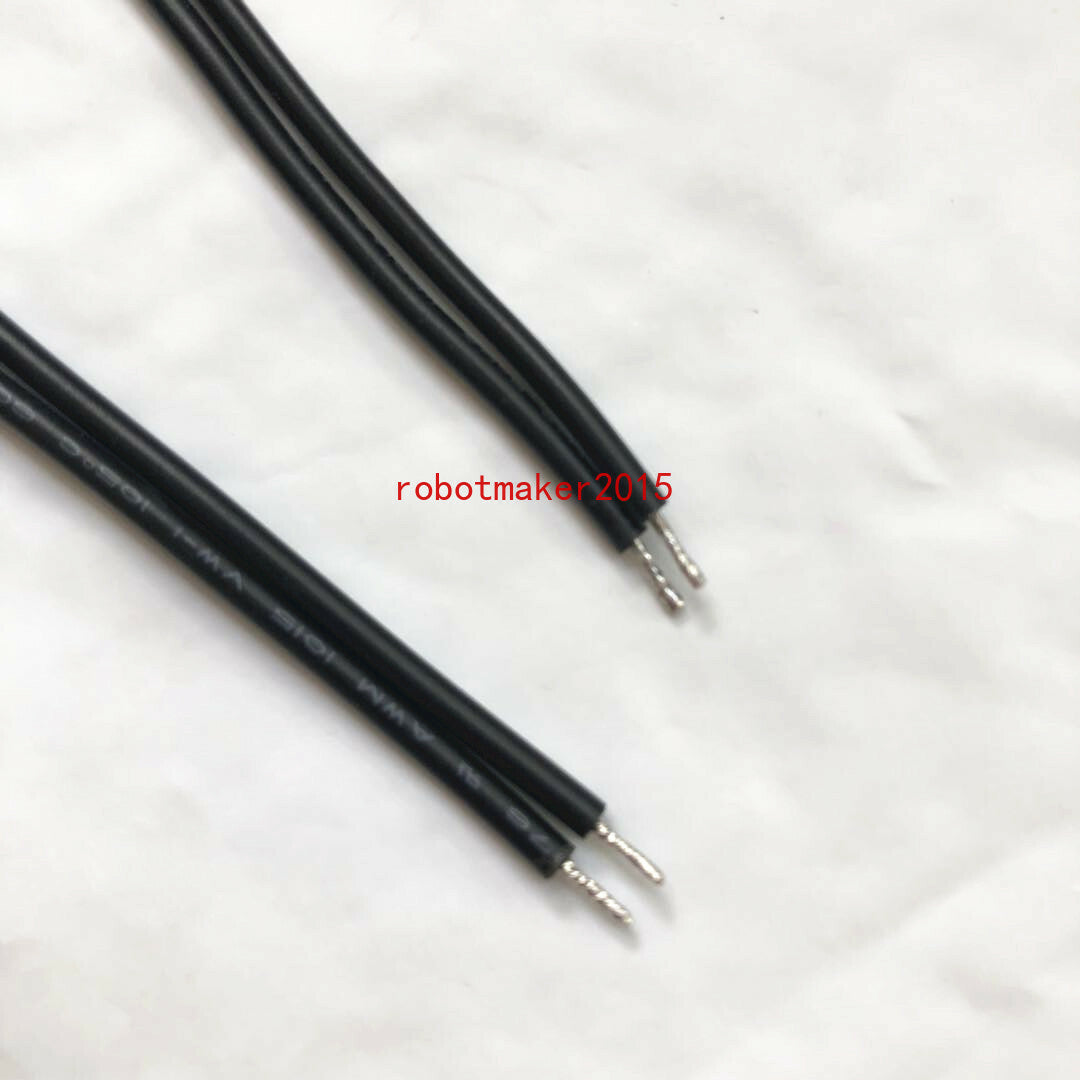
| Leads | Tinned copper wire, insulated ** |
### Current Ratings – Read This
The 5A figure applies to **resistive loads** (heating elements). Motors,
transformers, solenoids and other **inductive loads** produce a large inrush
and back-EMF at switch-off, which welds contacts far sooner than a resistive
load does. For inductive or DC loads, derate heavily or add a suppression
diode / snubber across the load.
### Typical Applications
- Lithium and NiMH **power tool battery packs** – cell temperature cutoff
- **Chargers and adapters** – overheating protection on the transformer or
heatsink
- **Motors** – embedded in the winding to guard against stall and overload
- **Switch-mode power supplies and ballasts**
- **Heaters, humidifiers, coffee makers** – overtemperature cutoff
- **DIY** – fan control, enclosure overheat alarms, 3D printer heated beds
### Installation Notes
1. **Thermal contact is everything.** Mount the case flat against the surface
you want to monitor. Use thermal adhesive, a clamp, or a mounting bracket –
an air gap makes it trip late or not at all.
2. **Do not solder close to the case.** Conducted heat can trip or damage the
disc. Use crimp terminals or keep the iron well away and heatsink the lead.
3. **Insulate the terminals** with heat-shrink so they can't short against the
housing.
4. Match the rating to the job: the trip temperature should sit just above the
normal running temperature, not at it.
### FAQ
**Does it reset itself?**
Yes – it's an auto-reset thermostat. Once the temperature falls back below the
trip point (typically 15–30°C lower), the contacts close again. If you need a
one-shot cutoff, you want a thermal fuse instead.
**What temperature will I receive?**
The temperature is selected as the variant – check the dropdown before
ordering. Each variant is a single rated temperature, not a mixed range.
**Is it AC and DC?**
Both, but the ratings differ. 5A at 250V AC resistive, or 12A at 12V DC. Do
not exceed the rating for your load type.
**NC or NO – which do I need?**
If you want to *stop* something getting too hot, you usually want NC. If you
want to *start* something (a fan) once it's hot, you want NO.
### Package Includes
- 5 × KSD9700 thermal protector (type and temperature as selected)
The KSD9700 is the small bimetallic snap thermostat you'll find inside power
tool battery packs, chargers, transformers, motors, ballasts and switch-mode
supplies. When thetemperature at the case reaches its rated trip point, the
disc snaps over and opens (or closes) the circuit – no electronics, no power
needed, and it resets itself once things cool down.
Five pieces per pack, so you can fix a tool pack and still have spares on the
shelf.
### Choose the Right Version
| Option | What it does |
|---|---|
| **NC – Normally Closed** | Conducts when cold, **opens** at the rated temperature. Used to cut power to a heating element or motor when it overheats. |
| **NO – Normally Open** | Open when cold, **closes** at the rated temperature. Used to switch on a fan or an alarm once a threshold is reached. |
**These are not interchangeable.** Swapping one for the other makes the circuit
behave backwards.
### Specifications
| Item | Specification |
|---|---|
| Model | KSD9700 |
| Type | Bimetallic snap-action thermal protector, auto-reset |
| Switch type | NC or NO ** |
| Action temperature | 40°C – 150°C ** |
| Temperature tolerance | ±3°C / ±5°C ** |
| Rated voltage | 250 V AC |
| Rated current – resistive | AC 250V / 5A, AC 125V / 8A |
| Rated current – DC | DC 12V / 12A, DC 24V / 10A |
| Contact resistance | ≤50 mΩ ** |
| Insulation resistance | >100 MΩ |
| Dielectric strength | >800 VAC |
| Cycle life | >100,000 cycles ** |
| Response | Snaps at the rated temperature; tested at a rate of rise ≤1°C/min |
| Case | Metal or plastic *(按变体)* |
| Case size | 20 × 7.4 × 3.8 mm (metal case) / 20 × 8.0 × 4.0 mm (plastic case) |
| Leads | Tinned copper wire, insulated ** |
### Current Ratings – Read This
The 5A figure applies to **resistive loads** (heating elements). Motors,
transformers, solenoids and other **inductive loads** produce a large inrush
and back-EMF at switch-off, which welds contacts far sooner than a resistive
load does. For inductive or DC loads, derate heavily or add a suppression
diode / snubber across the load.
### Typical Applications
- Lithium and NiMH **power tool battery packs** – cell temperature cutoff
- **Chargers and adapters** – overheating protection on the transformer or
heatsink
- **Motors** – embedded in the winding to guard against stall and overload
- **Switch-mode power supplies and ballasts**
- **Heaters, humidifiers, coffee makers** – overtemperature cutoff
- **DIY** – fan control, enclosure overheat alarms, 3D printer heated beds
### Installation Notes
1. **Thermal contact is everything.** Mount the case flat against the surface
you want to monitor. Use thermal adhesive, a clamp, or a mounting bracket –
an air gap makes it trip late or not at all.
2. **Do not solder close to the case.** Conducted heat can trip or damage the
disc. Use crimp terminals or keep the iron well away and heatsink the lead.
3. **Insulate the terminals** with heat-shrink so they can't short against the
housing.
4. Match the rating to the job: the trip temperature should sit just above the
normal running temperature, not at it.
### FAQ
**Does it reset itself?**
Yes – it's an auto-reset thermostat. Once the temperature falls back below the
trip point (typically 15–30°C lower), the contacts close again. If you need a
one-shot cutoff, you want a thermal fuse instead.
**What temperature will I receive?**
The temperature is selected as the variant – check the dropdown before
ordering. Each variant is a single rated temperature, not a mixed range.
**Is it AC and DC?**
Both, but the ratings differ. 5A at 250V AC resistive, or 12A at 12V DC. Do
not exceed the rating for your load type.
**NC or NO – which do I need?**
If you want to *stop* something getting too hot, you usually want NC. If you
want to *start* something (a fan) once it's hot, you want NO.
### Package Includes
- 5 × KSD9700 thermal protector (type and temperature as selected)
Share